


Mobile apps have become an inseparable part of our daily lives, simplifying tasks, connecting us with others, and providing entertainment. But what separates a great app from one that users uninstall within minutes? The answer lies in thoughtful UI (User Interface) design. A well-crafted UI ensures seamless interaction, making apps intuitive, efficient, and visually appealing.
This blog dives into key UI principles for mobile apps, helping designers create unforgettable experiences.

1. Understand Your Users
Before designing any interface, invest time in understanding your audience. Ask yourself:
- Who are the primary users of the app?
- What are their pain points, goals, and expectations?
- How do they interact with technology daily?
For example, designing for tech-savvy teenagers demands vibrant visuals and quick navigation, whereas an app for older adults should focus on simplicity and readability. Use tools like surveys, interviews, and user personas to tailor the design to their needs.
2. Prioritize Intuitive Navigation
Imagine downloading an app and struggling to figure out how to perform basic actions. Frustrating, right? Navigation is the backbone of mobile app design.
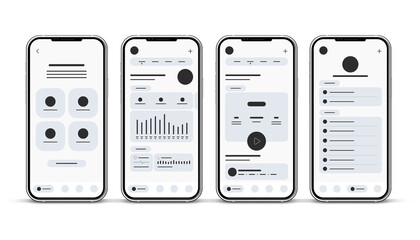
- Keep It Simple: Stick to common navigation patterns users are already familiar with, like bottom navigation bars or hamburger menus.
- Use Hierarchy: Structure content logically, ensuring essential features are easy to find.
- Provide Feedback: Visual cues like button highlights or animations reassure users about their actions.
Example: Instagram's bottom navigation allows instant access to core functions like the feed, search, and profile, creating a seamless experience.
3. Responsive and Consistent Design
Consistency builds trust. From fonts to color schemes, ensure uniformity across screens to avoid confusing users.
- Responsive Elements: Buttons, images, and text should adapt to various screen sizes and orientations.
- Design Systems: Create reusable components and follow style guides like Material Design or Apple’s Human Interface Guidelines for consistent visuals.
- Avoid Clutter: White space isn’t just empty; it helps users focus on key elements.
A consistent design improves usability and establishes your brand identity.
4. Focus on Accessibility
Accessibility isn’t just a buzzword—it’s a necessity. Designing for inclusivity ensures your app can be used by everyone, including those with disabilities.
- Text Size and Contrast: Use readable fonts and high-contrast color combinations to enhance visibility.
- Voice Commands: Incorporate voice navigation for users with mobility impairments.
- Alternative Text: Add alt text for images, aiding visually impaired users relying on screen readers.
Take inspiration from apps like Google Maps, which offers accessibility features like wheelchair-friendly navigation routes.
5. Optimize for Speed and Performance
No one likes a slow-loading app. Performance impacts not only usability but also user retention.
- Minimize Load Times: Compress images and optimize code to reduce app size.
- Preload Content: Anticipate user actions and preload relevant data.
- Test Across Devices: Ensure smooth performance on various operating systems and older devices.
6. Leverage Visual Hierarchy
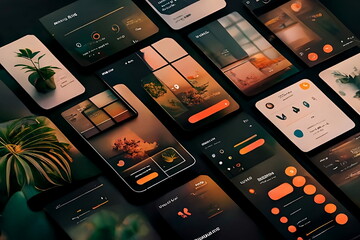
Visual hierarchy guides users' attention, highlighting what’s most important. Utilize design principles like:
- Size and Placement: Larger elements or centrally positioned items grab attention first.
- Color Contrast: Use bold colors to emphasize calls-to-action (CTAs).
- Typography: Employ different font sizes and weights to signify importance.
Example: Spotify’s playlist screen uses bold titles and well-spaced elements to direct attention efficiently.
7. Incorporate Feedback and Iteration
The best designs emerge through continuous testing and iteration.
- User Testing: Conduct usability testing to identify friction points.
- Analytics Integration: Use tools like Google Analytics or Mixpanel to track user behavior.
- Listen to Feedback: Regularly gather user reviews and implement constructive suggestions.
Remember, design is an evolving process, not a one-time task.
8. Microinteractions and Delightful Details
Microinteractions are subtle animations or effects that enhance user engagement. Examples include:
- Button animations when clicked.
- A loading spinner that entertains during wait times.
- Visual feedback for completed actions, like a checkmark after uploading a file.
These small touches create memorable experiences and add personality to your app.
9. Test for Touch-Friendly Interactions
Mobile screens are navigated with fingers, not cursors. Ensure your design is touch-friendly by:
- Button Sizing: Use touch targets of at least 48x48 pixels.
- Spacing: Avoid placing interactive elements too close together.
- Gestures: Incorporate intuitive gestures like swiping, pinching, and long-pressing.
Testing your app with real users ensures effortless navigation.
10. Stay Updated on Trends
The digital world evolves rapidly, and staying informed about UI trends is crucial. Recent trends include:
- Dark Mode: Offering a dark theme for low-light environments.
- Neumorphism: Combining skeuomorphism and flat design for modern aesthetics.
- Voice-Activated Interfaces: Integrating voice assistants for hands-free navigation.
However, don’t blindly follow trends; prioritize functionality and user needs.
Conclusion
Designing for mobile apps is both an art and a science, balancing aesthetics with functionality. By following these key UI principles—user understanding, intuitive navigation, consistency, accessibility, performance, and more—you can create mobile apps that resonate with users and stand out in a crowded market.
Remember, every design decision should enhance the user experience, not complicate it. With thoughtful execution, your app can become an indispensable part of users' lives.
Master the art of crafting intuitive interfaces and unforgettable user experiences with our Advanced UI/UX Design Course. Gain hands-on skills, elevate your career, and create designs that leave a lasting impact.
Enroll now at Kaarwan and take your expertise to the next level!
FAQs
1. What is the most important UI principle for mobile apps?
Intuitive navigation is key. Users should find what they need effortlessly.
2. How can I make my app accessible?
Use readable fonts, high contrast, alt text, and voice navigation to cater to diverse users.
3. What are microinteractions?
Small animations or effects that provide feedback and enhance engagement, like button clicks or loading spinners.
4. Why is consistency important in mobile app design?
Consistency builds trust and ensures seamless user experience across screens and devices.
5. How can I improve app performance?
Optimize images, preload content, and test on various devices to ensure fast load times and smooth functioning.




